

I built GitHub Explorer because I kept opening GitHub to answer one question while working in Orca. Which job failed on this branch? Now I can open Actions in Orca’s sidebar, pick the workflow run and see the jobs. When I switch to a worktree in another repository, the sidebar follows me.
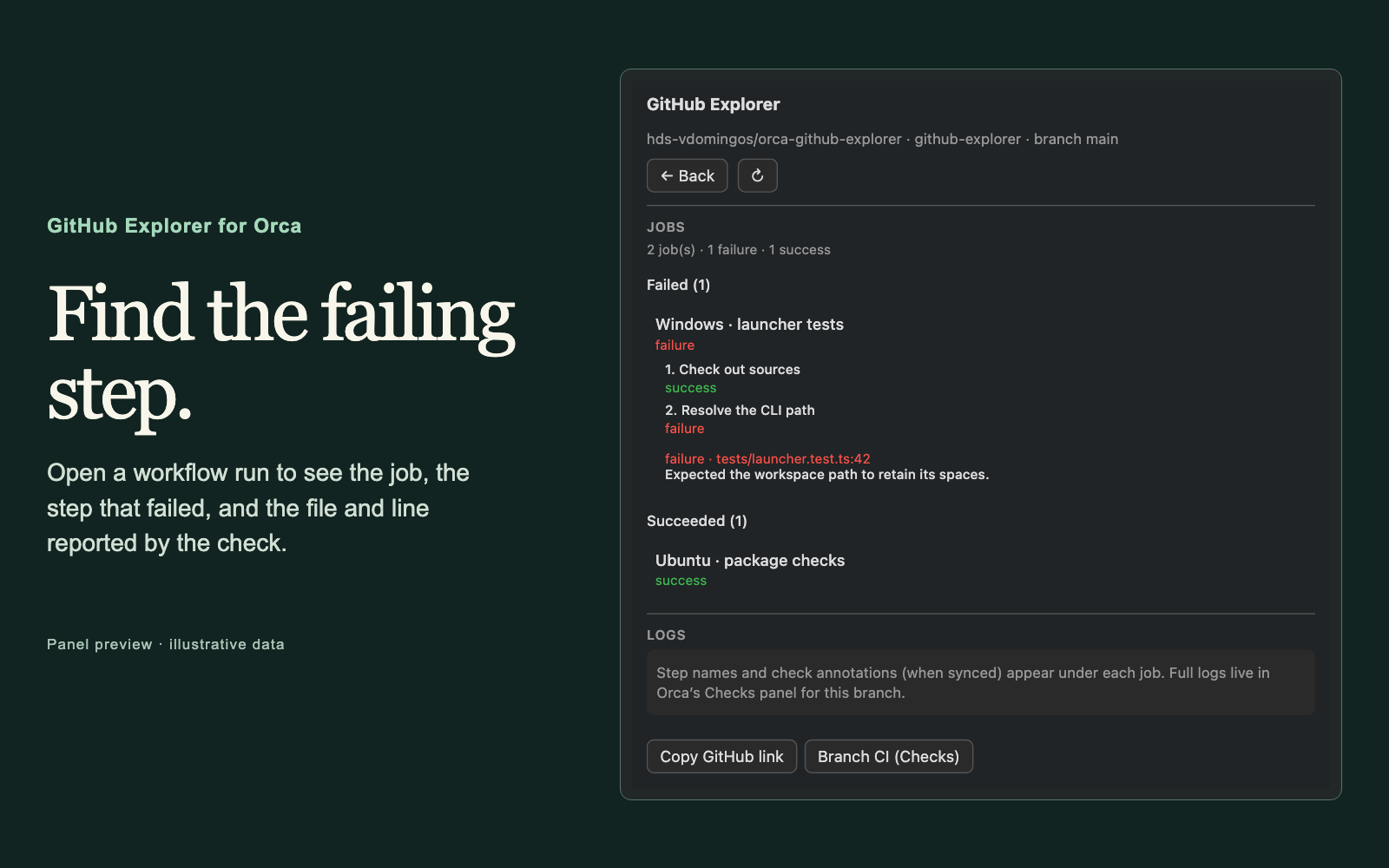
There are two other tabs. In PRs, I can read an open pull request’s description and copy its link. In Issues, I can copy an issue description together with the comments the plugin has loaded. That’s handy when the detail a coding agent needs is halfway down the discussion. Work on issue prepares the Orca command to create a worktree for that issue, so I can review it and run it myself.
Where to find it and how to install it
Look for GitHub Explorer by hds-vdomingos on the Orca community marketplace.
You’ll need Orca Desktop 1.4.246 or later, Git and the GitHub CLI. In Orca, register the Orca CLI under Settings → General. The plugin uses your GitHub CLI sign-in. Run gh auth status to check which account you’re using, or gh auth login to sign in.
On macOS or Windows, run the following command. On Linux, use orca-ide in place of orca.
orca plugin install hds-vdomingos/orca-github-explorer
Review the permissions and run the approval command Orca prints. Then open a worktree whose Git origin points to GitHub.com and select GitHub Explorer in the sidebar. You’ll see the repository name at the top.








Leave a Reply